
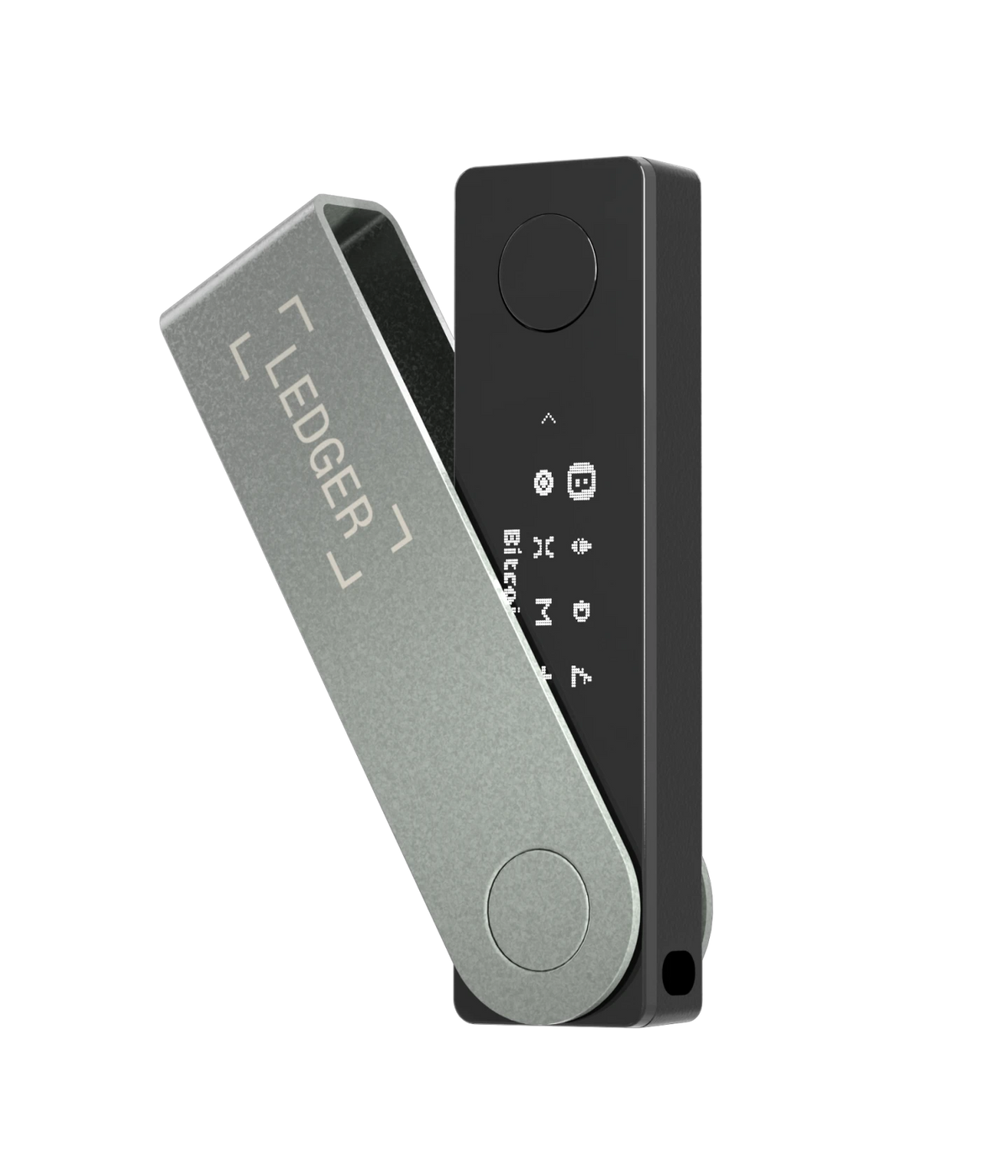
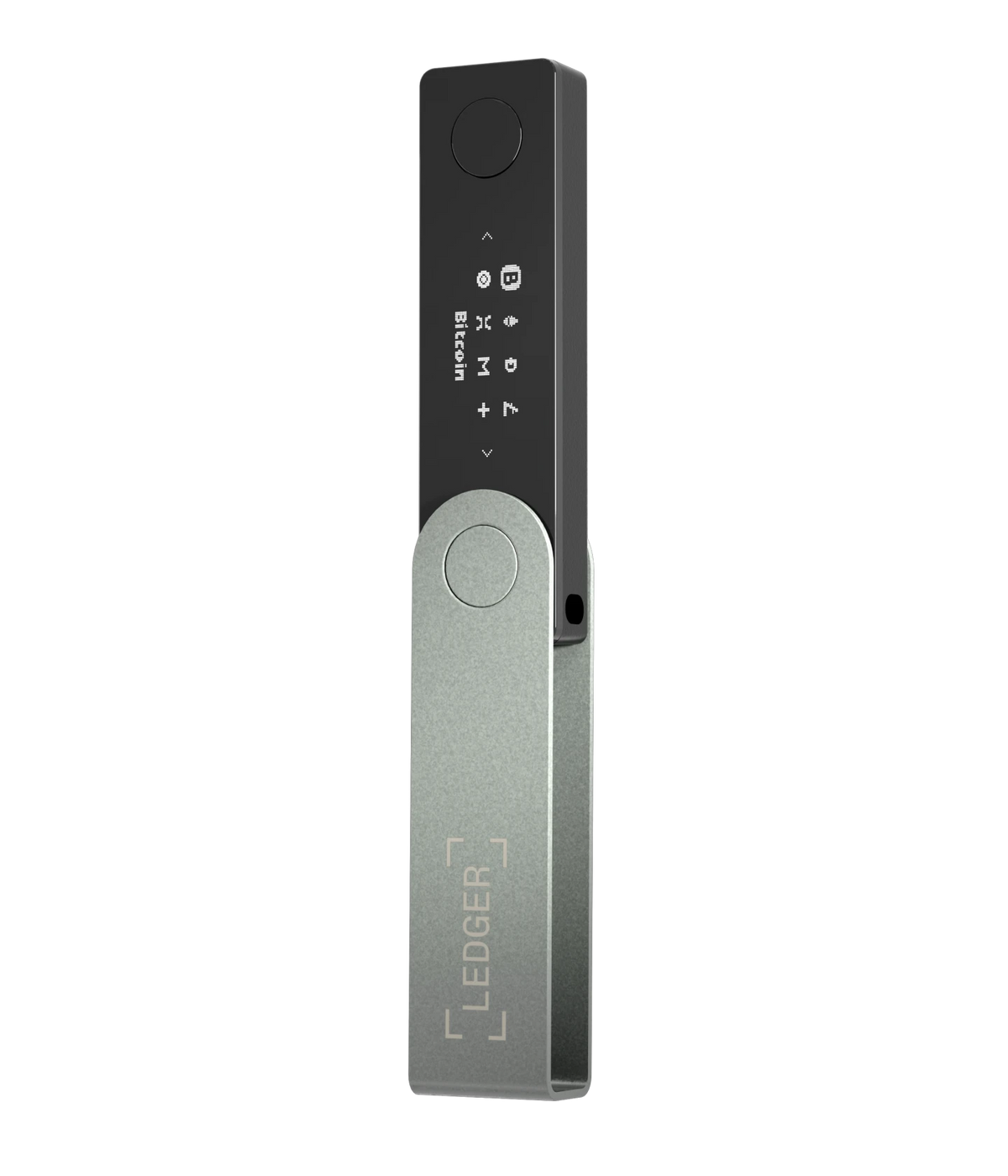
Ledger Nano X remains a compact mobile hardware signer with Bluetooth, USB-C, a rechargeable battery and physical-button confirmation. In 2026, however, the decision is no longer simply whether Nano X is secure. Buyers and existing owners must weigh its proven Secure Element design and pocketable form against battery aging, a small OLED display, limited visibility for complex transactions and newer Ledger signers with secure touchscreens. This guide explains when Nano X still makes sense, when it works better as a backup and when an upgrade meaningfully improves transaction review.
Last reviewed: October 26, 2026. Ledger device specifications, Ledger OS, supported assets, applications, pricing and recovery options can change. Confirm important details on Ledger’s official website before purchasing or updating a device. This independent educational guide is not affiliated with Ledger and is not financial, legal or professional security advice.
1. What Ledger Nano X is in 2026
Nano X is a hardware signer, not a container holding coins. Assets remain recorded on their blockchains. The device protects the secret keys used to authorize transactions, while Ledger Wallet or a compatible third-party wallet displays accounts, prepares requests and sends those requests to the device for review.
Its lasting advantage is a combination that the wired Nano S Plus does not provide: battery-powered Bluetooth use with supported phones. Nano X remains in Ledger’s current comparison as a classic, mobile-friendly signer. It is now best evaluated against newer touchscreen devices rather than treated as the automatic premium Nano choice.
2. The decision is buy, keep, replace or repurpose
A new buyer should compare current price, screen clarity, supported connections and included recovery tools. An existing owner has a different decision: a functioning device does not become unsafe merely because a newer model exists. Replacement is justified when the new model solves a real problem such as unreadable transaction details, unreliable charging or a workflow that increasingly depends on complex smart contracts.
A Nano X that no longer suits daily use may remain valuable as a tested backup signer. A backup can reduce downtime after loss or failure of the primary device, provided it is maintained, updated through official software and stored separately from the primary device and recovery material.
3. Strengths and limitations at a glance
| Area | Nano X strength | 2026 limitation |
|---|---|---|
| Key protection | ST33J2M0 Secure Element running Ledger OS | Security still depends on correct on-device verification and backup handling |
| Mobile use | Bluetooth works with supported iOS and Android devices | Pairing and battery introduce maintenance absent from a wired-only signer |
| Display | Trusted OLED screen is controlled inside the signing architecture | 128 × 64 pixels require scrolling and show less context than a touchscreen |
| Controls | Two buttons require deliberate physical confirmation | Long review flows can encourage approval fatigue |
| Recovery | Supports standard Secret Recovery Phrase and optional Ledger Recover | No Ledger Recovery Key is included with Nano X |
| Portability | Small, light and easy to carry | Small size can make loss, damage and unnoticed public use easier |
4. Secure Element and Ledger OS
Ledger lists the Nano X Secure Element as ST33J2M0 with CC EAL5+ certification. The Secure Element stores and uses sensitive key material, runs Ledger OS applications and participates in controlling secure inputs and the trusted display. Private-key operations are intended to remain inside this protected environment.
CC EAL5+ is evidence about the depth of a defined security evaluation, not a guarantee against every attack. It does not prove that a receiving address is trustworthy, that a smart contract is harmless or that the owner stored the recovery phrase safely. Certification should be read as one part of the security model.
5. Secure Element and MCU have different jobs
Nano X uses a dual-chip architecture. The STM32 microcontroller manages communication and peripherals, while the ST33 Secure Element handles sensitive application logic and secrets. Ledger’s design treats the MCU as a proxy rather than a trusted store for the recovery phrase or private keys.
This separation explains why compromising a transport component should not automatically reveal private keys. It also explains why the trusted screen and physical buttons matter: the Secure Element can request the owner’s consent for a specific action even when the phone or computer preparing that action is not fully trusted.
6. What the trusted display can and cannot prove
The Nano X screen is the reference for the transaction the device is being asked to sign. Compare the destination, amount, asset and network shown there with your independent intent. Information displayed only in a browser or phone application can be altered by malware.
The screen cannot tell whether you chose the correct person, whether a token is authentic or whether an unfamiliar contract deserves approval unless the transaction is decoded into meaningful details. A perfectly accurate display can still show a harmful action that the user requested by mistake.
7. Nano X Bluetooth security model
Ledger describes Bluetooth Low Energy as a transport layer for public information and transaction data. The recovery phrase and private keys are not sent into the Bluetooth stack. Transactions prepared on a phone travel to the device, but signing still requires review and physical consent on Nano X.
This is the correct reason to consider Bluetooth acceptable—not a claim that wireless protocols can never have defects. A compromised connection could interfere with availability or privacy, attempt to relay requests or create confusing pairing behavior. It should not turn the phone into the holder of the private key.
8. Pairing is a security decision
During pairing, compare the numeric code on the Nano X with the code on the phone before approving. The comparison helps detect an unexpected intermediary. Reject unexplained requests, especially in public places or after reinstalling an application.
Name devices clearly enough to distinguish them without disclosing portfolio information. Remove obsolete pairings after replacing a phone, and reset pairings if behavior becomes inconsistent. Pairing with a phone does not authorize every future transaction: each signature still requires on-device approval.
9. Bluetooth threat model
| Scenario | What Nano X helps protect | User responsibility |
|---|---|---|
| Nearby observer monitors wireless traffic | Pairing and encrypted transport reduce direct interpretation; keys remain in the Secure Element | Avoid revealing public addresses when privacy matters |
| Wrong phone attempts to pair | Numeric comparison and physical confirmation are required | Reject codes that do not match or were not requested |
| Phone prepares a changed transaction | Nano X shows the transaction submitted for signing | Read the device screen rather than trusting the phone |
| Connection is disrupted | Private keys should remain on the device | Do not approve repeated requests merely to make the error disappear |
| User dislikes wireless exposure | Bluetooth can be disabled | Test the USB workflow before it becomes an emergency |
10. When USB-C is the better choice
Use a cable when Bluetooth is unavailable, pairing is unreliable, firmware guidance requires it or the environment makes wireless use undesirable. A known-good data cable and supported computer can also simplify troubleshooting. Practice the wired route while the device works normally.
USB is not automatically safe. A compromised computer can still prepare a malicious request, show a substituted address or direct the user to fake software. The Nano X screen and deliberate approval remain the boundary regardless of transport.
11. Battery health changes convenience, not blockchain ownership
The rechargeable battery enables untethered Bluetooth sessions. It does not contain the only copy of the blockchain assets. If the battery degrades, valid recovery material can restore the wallet on a compatible replacement signer, and a device that still operates over USB may remain usable.
That distinction should not encourage neglect. A dead or swollen battery can interrupt access at the worst moment. The recovery backup is the ultimate continuity layer; a maintained secondary signer is a faster operational layer.
12. Battery maintenance for occasional users
Do not leave Nano X forgotten for years and assume it will power on instantly. Periodically inspect it, charge it according to current Ledger guidance, confirm that buttons and screen work, and verify that the official application can recognize it. Avoid excessive heat, moisture and physical pressure.
Maintenance does not require moving funds or exposing recovery words. A normal device check should never ask for the Secret Recovery Phrase in a computer or phone. If an application requests the words during charging, pairing or a routine firmware update, stop and verify the software source.
13. Battery troubleshooting order
- Use a known-good data-capable cable, not an unknown charge-only cable.
- Try an official-supported USB port and allow appropriate charging time.
- Check the device battery menu and current Ledger support guidance.
- Confirm whether USB operation remains stable even if wireless runtime is short.
- Do not open or modify the device unless following an authorized service process.
- If replacement is required, restore only through the trusted device workflow.
Never disclose recovery words to a repair shop or support agent. If a damaged device must leave your control, assume physical custody changes and rely on the recovery plan rather than sharing its PIN.
14. The small OLED screen is the central trade-off
The 128 × 64 monochrome OLED can reliably display transaction information, but it presents far less at once than Ledger’s secure E Ink touchscreens. Addresses, contract data and warnings may span several screens. This increases time and cognitive effort for every complex approval.
A smaller screen is not cryptographically weaker merely because it is small. The practical risk is human: frequent scrolling encourages pattern recognition, impatience and “click through” behavior. Users who regularly interact with DeFi should value readable review as a security feature, not just a comfort upgrade.
15. Clear Signing is useful but constrained
Clear Signing aims to translate supported transaction data into human-readable fields. Nano X can display supported Clear Signing details, but its screen limits how much context appears at once. Unsupported or incompletely decoded actions may still require blind signing or show data that is difficult to interpret.
Never enable blind signing merely because a website tells you to. Confirm why it is required, which application and network are involved, and whether a safer supported flow exists. Disable permissions or settings that are no longer needed after use.
16. Nano X does not provide Transaction Check
Ledger’s current comparison distinguishes newer touchscreen signers with Transaction Check from Nano X and Nano S Plus. Transaction Check can provide additional risk information for compatible activity, but it does not make a malicious transaction impossible.
The absence of the feature is most important for active users who frequently sign contract interactions. A long-term holder making occasional simple transfers may receive less benefit from upgrading solely for this tool. Evaluate the actual transaction mix rather than buying from a checklist.
17. A secure first setup
- Purchase through Ledger or a seller you deliberately trust.
- Reach Ledger Wallet through Ledger’s verified website, not a search advertisement.
- Let the official application run its genuine-device check.
- Initialize the Nano X yourself in a private, camera-free environment.
- Create a private PIN that is not shared with another device.
- Record the generated recovery words offline in their exact order.
- Complete any supported recovery check without typing the words into a computer.
- Install only the blockchain applications needed for the first test.
A legitimate new setup should generate recovery information on the device. Do not use words supplied on a card, sticker, scratch sheet or message. A preconfigured PIN or recovery phrase is a stop signal.
18. Genuine Check is important but not a complete supply-chain history
Ledger Wallet’s Genuine Check helps verify that the connected device can prove authenticity under Ledger’s system. Use it during initial setup and after suspicious behavior. Package appearance alone is weaker evidence because seals and printed material can be copied.
Genuine Check does not validate the honesty of every person who handled the parcel, and it cannot make prewritten recovery words safe. Inspect the device, initialize it yourself and follow current official warnings. If anything conflicts with expected setup, do not transfer funds while trying to rationalize the anomaly.
19. Verify the first receiving address
Create the account through official software, request a receive address and compare the complete address on the Nano X screen. The hardware display is the reference because malware may replace an address shown or copied on the host.
Send a small test amount on the exact intended network. Wait for appropriate confirmation and then practice a low-value outgoing transaction. This checks the device, account derivation, network selection and signing process before a large transfer.
20. Mobile signing workflow
Use a phone you control, keep its operating system and Ledger application current, and reject unexpected Bluetooth or signing prompts. Prepare the transaction, then shift attention from the phone to the Nano X. Read each device screen in order before pressing both buttons.
Notifications, urgency and crowded environments make mobile approval error-prone. Do not sign while distracted or while someone is directing the process through chat. A mobile-first wallet improves availability; it should not turn signing into an automatic response.
21. Travel planning
Decide whether the trip genuinely requires the signer. Carrying Nano X can expose the owner to loss, theft, questioning or observation. Never travel with the device and its only recovery backup together. Avoid labels or accessories that advertise cryptocurrency ownership.
Before departure, charge the device, test Bluetooth and USB, review the PIN lock setting and confirm access to official support documentation. Public or borrowed computers should not become the fallback. If urgent access is not required, leaving the signer in a secure location may be safer.
22. Lost or stolen Nano X
A lost locked device does not automatically expose the recovery phrase. The PIN and Secure Element are designed to resist unauthorized use, and repeated incorrect PIN attempts trigger device reset under the documented mechanism. Nevertheless, assess what the device was paired with and whether anyone may know the PIN.
Use a trusted replacement signer and verified recovery workflow if access is required. Move assets to a new seed only when the recovery phrase or PIN may have been exposed, not merely because the hardware is missing. A new seed means new addresses, records and operational risk, so the decision should follow the actual threat.
23. Recovery phrase exposure is a different emergency
If someone may have copied the recovery phrase, changing the Nano X PIN is not enough. The phrase can recreate the keys on another wallet without the original device. Create a new uncompromised wallet through a trusted process and transfer assets after verifying every destination.
Do not test a suspected phrase by entering it into a website or “checker.” Do not accept direct-message recovery assistance. Preserve transaction records and consider token approvals and assets across all accounts derived from the exposed seed.
24. Nano X as a backup signer
A backup signer can restore operational access faster than buying a new device during an incident. It may use the same seed as the primary device, which means it represents another physical endpoint for the same keys. Protect its PIN, location and firmware state accordingly.
Test it periodically with a public-address comparison or a low-risk process that does not reveal the seed. Store it separately from the primary signer. If both devices and the recovery backup are kept in one bag, safe or building, the apparent redundancy may disappear in one event.
25. Nano X versus current Ledger alternatives
| Device | Best fit | Main advantage over Nano X | Main trade-off |
|---|---|---|---|
| Nano S Plus | Low-cost wired holding or backup | No battery or Bluetooth to maintain; current comparison lists EAL6+ | No iOS Bluetooth workflow and the same small-screen class |
| Nano X | Compact Bluetooth mobile signing | Proven Nano format and pocketable wireless use | Small screen, aging battery design, no NFC or Transaction Check |
| Nano Gen5 | Value-conscious touchscreen upgrade | Larger secure E Ink touchscreen, NFC, newer feature set | Larger form and higher replacement cost |
| Ledger Flex | Frequent everyday transaction review | Readable secure touchscreen, NFC and Transaction Check | More expensive and less pocketable than Nano X |
| Ledger Stax | Premium display and frequent use | Largest curved display and Qi charging | Premium price and larger physical footprint |
26. Keep, replace or repurpose?
| Condition | Reasonable decision | Action before relying on it |
|---|---|---|
| Battery, screen, buttons and updates work reliably | Keep using Nano X | Test USB fallback and verify recovery readiness |
| Mostly simple transfers and infrequent mobile use | Keep it or compare with Nano S Plus | Maintain battery and review every address fully |
| Frequent DeFi and complex contract approvals | Consider Nano Gen5, Flex or Stax | Decide whether added visibility solves the actual risk |
| Battery runtime is poor but USB remains stable | Use as wired backup while planning replacement | Confirm official support guidance and recovery access |
| Screen or buttons are unreliable | Retire from signing | Restore on a trusted replacement and verify accounts |
| Recovery phrase may be exposed | Replace the seed, not only the hardware | Create new keys securely and migrate assets |
27. Who should still buy Nano X?
Nano X remains logical for someone who wants a small Bluetooth signer, uses supported mobile devices, performs mostly understandable transfers and values the familiar two-button interface. It can also suit an experienced user seeking a compact second Ledger signer.
Compare the real checkout price with newer models. A discount is meaningful only if battery ownership and the small screen fit the intended workflow. Buying the least expensive suitable device is sensible; buying a device that encourages rushed approvals is not.
28. Who should choose a newer touchscreen signer?
Choose a larger secure display when addresses are difficult to read, contract signing is frequent, accessibility matters or Transaction Check and NFC-supported functions are valuable. Touchscreens can make transaction review clearer and navigation faster.
They do not remove self-custody responsibility. A larger screen cannot identify a dishonest recipient chosen by the user, recover an exposed seed or make every blind-signing request safe. Upgrade for better verification and usability, not for an illusion of automatic protection.
29. Common Nano X mistakes
- Trusting the phone display instead of the Nano X screen.
- Approving a pairing code without comparing both devices.
- Entering recovery words into Ledger Wallet, a browser or support chat.
- Ignoring the battery until urgent access is needed.
- Using an unknown cable and interpreting a connection failure as lost funds.
- Enabling blind signing without understanding the requested action.
- Keeping the device and its only recovery backup together.
- Replacing working hardware without first testing the recovery plan.
- Assuming a newer model automatically makes unsafe signing habits safe.
30. Ownership checklist
- Ledger Wallet was installed through Ledger’s verified domain.
- The device passed Genuine Check and was initialized by the owner.
- The PIN is private and the recovery phrase was generated on-device.
- The recovery backup is offline, legible and separated from the signer.
- Bluetooth pairings contain only recognized devices.
- USB fallback works with a known-good cable and trusted computer.
- The battery, display and both buttons are checked periodically.
- Receive addresses are verified on the hardware screen.
- Complex approvals are understood before both buttons are pressed.
- A replacement or recovery procedure is known before an emergency.
31. Frequently asked questions
Is Ledger Nano X still safe in 2026?
A genuine, updated Nano X with a private PIN, protected recovery phrase and careful on-device verification remains a capable signer. Safety also depends on the host device, transaction intent and the owner’s backup practices.
Can Bluetooth expose the recovery phrase?
Ledger’s design keeps the recovery phrase and private keys inside the Secure Element rather than sending them through Bluetooth. Users must still verify pairing and transaction details on Nano X.
Can Nano X work if its battery fails?
A degraded battery does not erase blockchain assets. USB operation may remain possible depending on the device condition. A valid recovery backup allows restoration on compatible replacement hardware.
Does Nano X support Clear Signing?
It can display supported Clear Signing details, but its small screen limits how much appears at once. It does not provide Transaction Check according to Ledger’s current device comparison.
Should an existing owner upgrade to Ledger Flex or Nano Gen5?
Upgrade when a larger secure touchscreen, NFC, Transaction Check or better readability materially improves the workflow. A working Nano X used for simple transfers does not require replacement solely because it is older.
Can Nano X be used as a backup signer?
Yes. A maintained Nano X can serve as a secondary signer, but it must be protected like any other device controlling the same seed and stored separately from the primary hardware.
Should recovery words ever be typed into Ledger Wallet?
No. Ordinary setup, synchronization, pairing and firmware updates do not require typing the Secret Recovery Phrase into a computer or phone. Enter it only through an authentic hardware recovery workflow when intentionally restoring a wallet.
Final verdict
Ledger Nano X remains strongest as a compact Bluetooth signer and as a secondary device for users already comfortable with Ledger’s two-button workflow. Its Secure Element and trusted display continue to provide the essential separation between private keys and an internet-connected host.
Its weaknesses are now easier to see: battery maintenance, limited screen space, no NFC, no included Recovery Key and no Transaction Check. Those are not automatic reasons to retire a functioning device. They are reasons to match the signer to the transaction. Keep Nano X for clear, deliberate mobile signing; consider a touchscreen upgrade when better review would reduce real human error.
Related Ledger guides
- How to verify a Ledger device and complete a safe setup
- Ledger Recover architecture and recovery trade-offs
- Ledger passphrase wallets and secondary PIN risks
- Ledger receive-address verification and address poisoning
- Ledger Clear Signing versus blind signing
- Ledger Nano S Plus review
- Ledger Nano Gen5 review
- Ledger Flex review
- Ledger Stax review
Official Ledger sources and further reading
- Ledger — Nano X product page and technical specifications
- Ledger — Nano X Bluetooth security model
- Ledger Academy — Which Ledger signer is right for you?
- Ledger Developer Portal — Ledger OS hardware architecture
- Ledger Donjon — Hardware signer threat model
- Ledger Support — Nano X navigation, Bluetooth, battery and pairing controls
- Ledger — Official blog and product updates