
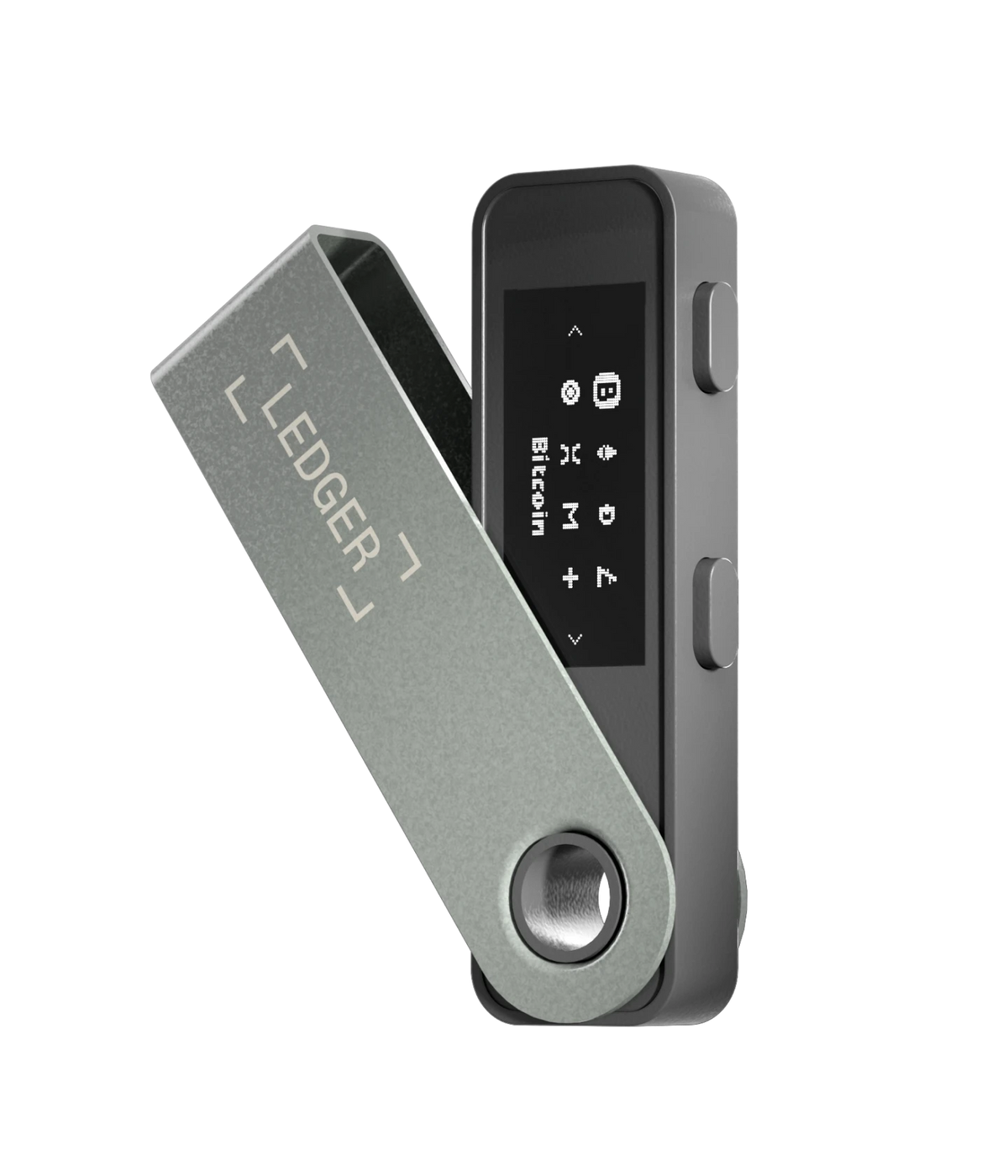
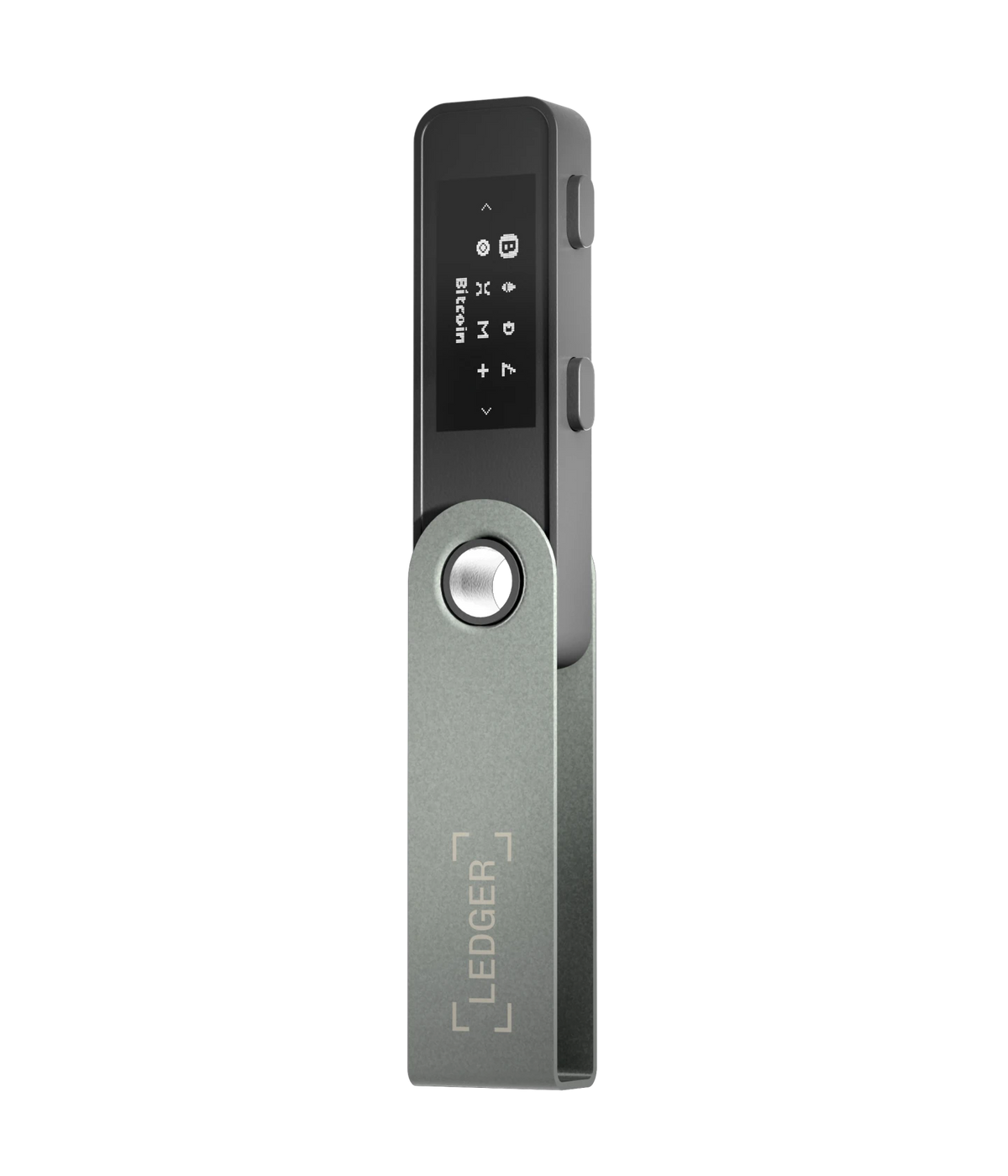
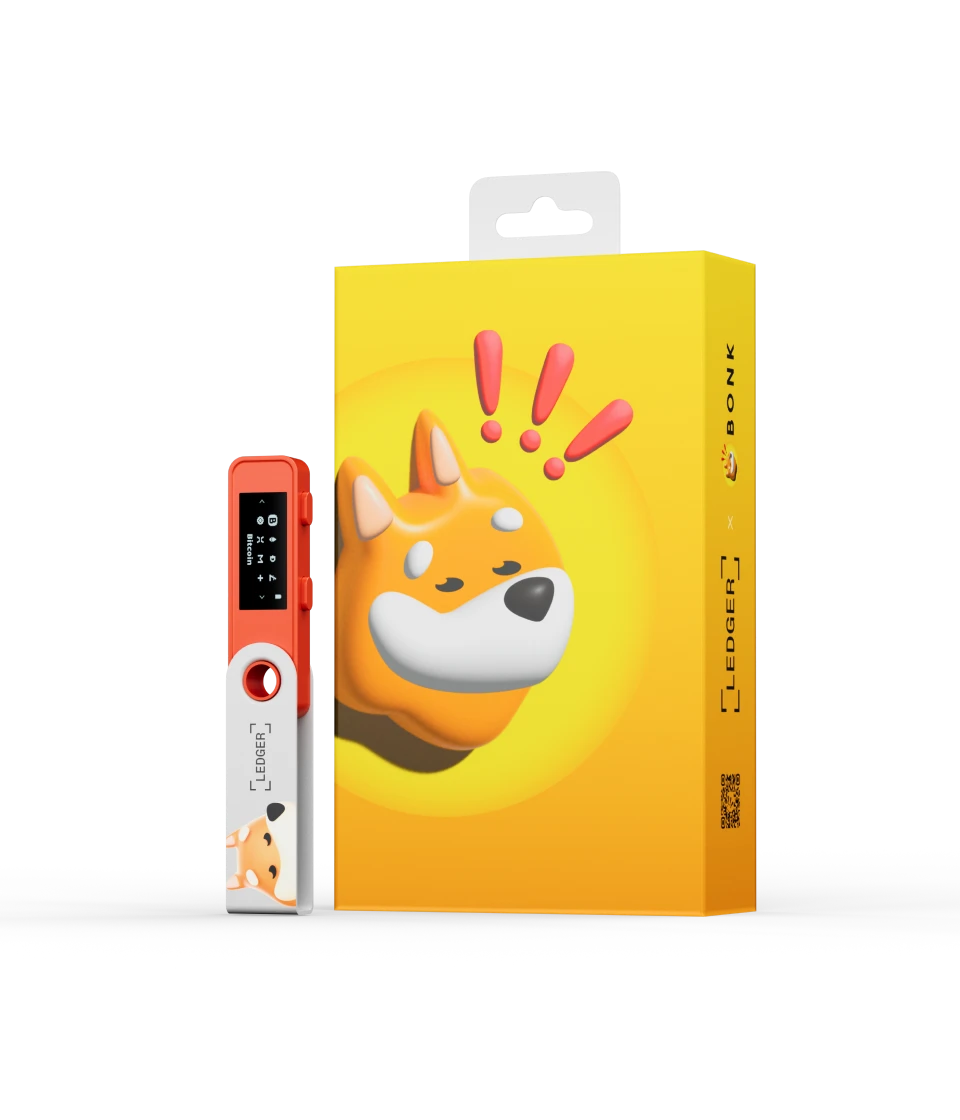
Ledger Nano S Plus is a battery-free, USB-only hardware signer designed for desktop computers and supported Android devices. Its simplicity makes it attractive for long-term holdings and backup use, but a cable does not make the signer air-gapped and does not make the connected computer trustworthy. This guide builds a complete Nano S Plus workflow around its real strengths: Secure Element key isolation, trusted-display verification, deliberate physical approval, manageable blockchain applications and recovery readiness.
Last reviewed: October 27, 2026. Ledger OS, Ledger Wallet, supported assets, operating-system compatibility, applications and recovery options can change. Confirm security-critical details through current official Ledger documentation. This independent guide is educational, is not affiliated with Ledger and is not financial, legal or professional security advice.
1. Where Nano S Plus fits in the Ledger lineup
Nano S Plus is Ledger’s classic wired signer. It focuses on core key protection, USB connectivity and two-button approval without the cost or complexity of Bluetooth, NFC, a rechargeable battery or a touchscreen. Ledger currently positions it for straightforward home use, cold storage and backup duties.
That position is different from Nano X, which prioritizes compact mobile Bluetooth use, and Nano Gen5, Flex and Stax, which add secure touchscreens and newer transaction-review features. Nano S Plus is strongest when the owner deliberately wants a wired workflow rather than merely choosing the lowest price.
2. A signer protects keys, not coins inside the device
Blockchain balances do not reside in Nano S Plus. The device generates and protects keys that authorize activity for associated accounts. Ledger Wallet or a compatible third-party wallet can display balances and prepare a request, but the hardware must sign an approved transaction.
This distinction explains why a failed device does not erase assets when valid recovery material remains available. It also explains why theft of the Secret Recovery Phrase is more serious than loss of the locked hardware: the phrase may recreate the keys elsewhere.
3. What “cold storage” should mean
Cold storage describes a system designed to keep signing secrets away from routine online exposure. Nano S Plus helps by keeping private keys inside a dedicated Secure Element while an internet-connected host handles networking and portfolio display.
The term does not mean the complete workflow is offline. The signer connects to a host, receives transaction data and may interact with applications that depend on internet services. A better description is isolated key storage with on-device approval. Security depends on preserving that isolation and checking what crosses the boundary.
4. Nano S Plus is not air-gapped
An air-gapped system has no direct electronic data connection to a networked host. Nano S Plus communicates through USB, so calling it fully air-gapped is inaccurate. The USB channel transfers commands, application data and transaction requests between host and signer.
This does not mean the private key leaves the device. The design is intended to keep sensitive key material inside the Secure Element. The practical control is the trusted display: even if the host proposes something malicious, signing should still require physical confirmation of the request shown by the signer.
5. Security layers and limits
| Layer | What it helps protect | What remains the owner’s responsibility |
|---|---|---|
| ST33K1M5 Secure Element | Private-key storage and signing operations | Choosing a legitimate destination and application |
| Ledger OS | Application isolation and controlled device operations | Installing updates through authentic Ledger software |
| Trusted OLED display | Shows the request submitted to the signer | Reading every relevant field before approval |
| Two physical buttons | Require deliberate on-device consent | Rejecting social-engineering pressure |
| PIN | Unauthorized use of a stolen device | Keeping the PIN private and recovery phrase separate |
| USB-only connection | Removes Bluetooth pairing and battery management | Managing host, cable and transaction risks |
6. Secure Element ST33K1M5
Ledger lists Nano S Plus with an ST33K1M5 Secure Element and CC EAL6+ certification. Ledger OS and blockchain applications run within the device architecture so signing keys are not handled like ordinary files on the connected computer.
CC EAL6+ is evidence about an evaluated security target and assurance process. It is not a universal guarantee. A certified chip cannot know whether the owner intends to send funds to a scammer or grant a contract unlimited token authority.
7. Trusted display and button confirmation
The computer may display a convenient summary, but the 128 × 64 Nano S Plus screen is the reference for what the device has received. Read the address, amount, asset, network-related information and fee presented during the approval flow.
Both buttons represent consent. Do not press them merely to dismiss a message or continue troubleshooting. If the screen differs from the intended action, reject the request and investigate the host before reconnecting.
8. The USB threat model
| Threat | Device defense | Required user action |
|---|---|---|
| Clipboard malware replaces a receive address | Signer displays the address associated with the request | Compare the complete address on hardware |
| Malicious host changes transaction data | Physical approval is required for the submitted request | Reject fields that do not match the independent plan |
| Fake Ledger application requests recovery words | Normal operation does not require typing the phrase into the host | Close it and reinstall through Ledger’s verified domain |
| USB interruption causes repeated prompts | No valid signature should be created without confirmation | Stop rather than approving repeatedly |
| Unknown smart contract asks for broad authority | Supported details may appear on the signer | Understand spender and allowance or reject |
9. A cable is not proof of trust
USB eliminates the Nano X wireless transport, but it does not sanitize Windows, macOS, Linux or Android. A compromised host can create a misleading interface, redirect a browser, substitute copied data or propose a transaction the user did not intend.
The security benefit comes from separating signing keys and placing final consent on the device. If the owner stops reading the hardware screen, the cable alone provides little protection against transaction substitution.
10. Choose cables and adapters deliberately
The package includes a USB-C to USB-A cable, while other hosts may require a trusted adapter or a different data-capable cable. Some cables provide power only. An unreliable cable can cause detection failures, update interruptions or misleading troubleshooting symptoms.
Keep one tested cable with the recovery plan, but not with the Secret Recovery Phrase if that would concentrate all critical items. Avoid unknown public charging accessories and unnecessary hubs. A connection problem is not a reason to enter recovery words into a website.
11. USB troubleshooting order
- Close unrelated wallet applications that may be using the device.
- Reconnect with a known-good data cable.
- Try a direct supported USB port instead of a hub.
- Unlock Nano S Plus and open the required blockchain application.
- Restart Ledger Wallet from an authentic installation.
- Check current operating-system and driver guidance.
- Test another trusted supported computer if necessary.
- Contact official Ledger Support without disclosing the recovery phrase.
12. Small-screen verification requires patience
The 1.1-inch monochrome OLED shows less information at once than Ledger’s secure touchscreens. Long addresses and contract details require multiple steps. This is not automatically a cryptographic weakness, but it creates a human-factors risk.
Users can begin recognizing the rhythm of button presses instead of reading each value. Slow down when the amount is large, the destination is new or the transaction grants continuing authority. If the workflow cannot present enough meaning, postpone it.
13. Verify a receiving address correctly
Request the address in Ledger Wallet or the intended compatible wallet, then display it on Nano S Plus. Compare the complete value, not only the first and last four characters. Address-poisoning attacks deliberately create similar-looking prefixes or suffixes.
Obtain the destination through an independent trusted channel when sending to another person or service. For a new account or network, use a small test and verify its confirmed history before sending a larger amount.
14. Clear Signing on a classic Nano
Clear Signing translates supported transaction data into readable fields. Nano S Plus can display supported details, but the small screen creates a multi-step review. Coverage also depends on the network, application and transaction type.
Do not assume every request is clear-signed. If the device shows raw or opaque data, the owner may be entering blind-signing territory. Verify why this is required and whether the intended application offers a safer supported flow.
15. Blind Signing and its consequence
Blind signing approves data that the device cannot fully translate into an understandable action. It can be necessary for some integrations, but it removes much of the review advantage of a trusted screen.
Enable it only for an understood, verified task and disable it when no longer needed. A website instruction to enable blind signing is not evidence that the website is legitimate. Never use it to “validate,” “repair” or “synchronize” a wallet for an unsolicited helper.
16. Nano S Plus has no Transaction Check
Ledger’s current comparison places Transaction Check on its next-generation touchscreen signers, not Nano S Plus. The classic signer relies on supported Clear Signing details and the owner’s inspection rather than that additional automated risk layer.
This matters most for frequent DeFi users. A long-term holder who mainly verifies simple receive and send transactions may not need to upgrade for Transaction Check alone. Match the tool to the transaction mix.
17. Reading common screen prompts
| Prompt | What it means | Safer response |
|---|---|---|
| Verify address | The host is asking the signer to display a derived receiving address | Compare the complete hardware value with the intended destination |
| Review transaction | A signature request is ready for inspection | Read every field before accepting |
| Contract data or blind signing | The action may not be fully decoded | Reject unless the exact requirement and consequence are known |
| Allow Ledger Manager | Ledger Wallet requests device-management access | Approve only in the authentic application during an intended task |
| Update or install app | Device software is being changed | Confirm source, preserve recovery readiness and avoid interruption |
| Unexpected signature | A connected application submitted an unplanned request | Reject and disconnect the session |
18. Blockchain apps are not the assets
A Ledger device application enables the signer to derive keys and process requests for a blockchain family. The account balance remains onchain. Uninstalling an app does not delete the associated coins, tokens or transaction history.
Reinstalling the compatible app under the same recovery seed restores the device’s ability to work with the corresponding accounts. This is why storage management should not be confused with moving funds.
19. App capacity in practice
Ledger states that Nano S Plus can hold up to roughly 100 applications, depending on application size and combinations. “Up to” matters: different blockchain apps consume different storage, and shared components can change the total.
Install only what is needed. An app can be removed and later reinstalled without changing the blockchain balance. Before a time-sensitive operation, verify that the required app and current Ledger OS fit and work.
20. App action versus asset effect
| Action | Effect on device | Effect on assets |
|---|---|---|
| Install blockchain app | Adds signing support for that blockchain family | Does not move funds |
| Uninstall app | Frees device storage | Does not delete blockchain accounts or balances |
| Reinstall app | Restores device capability under the existing seed | Allows access to the same derived accounts |
| Remove account from Ledger Wallet | Hides local portfolio data | Does not erase onchain assets |
| Reset signer | Removes keys from that device | Assets remain recoverable only with valid recovery material |
| Create a new seed | Creates a different wallet root | Old assets do not move automatically |
21. Supported assets require exact verification
Ledger advertises broad support across Ledger Wallet and compatible third-party wallets. That does not mean every token has identical native functionality. Some assets require a third-party interface, a specific network app or an account created under a particular derivation path.
Verify the exact asset, token contract, network, required device app and wallet interface. Do not rely on a general statement that “Ledger supports the coin” when preparing a deposit.
22. Battery-free is a maintenance advantage
Nano S Plus draws power from USB and has no rechargeable battery to age during storage. This makes it suitable for an infrequently used backup or home signer. There is no need to maintain a charge or troubleshoot wireless battery runtime.
The device still has physical components that can fail: screen, buttons, connector, cable or flash storage. Battery-free does not eliminate the need for a recovery backup and periodic functional testing.
23. Mobile and operating-system limitations
Official specifications support compatible 64-bit desktop systems and Android 10 or later through USB. Nano S Plus does not work with iOS because it lacks the Bluetooth route used by Ledger mobile workflows. Ledger also lists Chromebook as unsupported.
Confirm compatibility for the exact host before buying. Adapters cannot create software support that the platform does not provide. An iPhone-focused owner should compare Nano X or a next-generation Bluetooth signer.
24. Safe first setup
- Buy from Ledger or a reseller you deliberately trust.
- Reach Ledger Wallet through Ledger’s verified website.
- Connect with a trusted data cable.
- Choose new-device setup unless intentionally restoring.
- Create the PIN privately on the signer.
- Generate the Secret Recovery Phrase on-device.
- Write the words offline in exact order.
- Complete the on-device confirmation and Genuine Check.
- Install one needed blockchain app.
- Perform controlled receiving and sending tests.
25. Recovery Phrase rules
Never type the Secret Recovery Phrase into Ledger Wallet, a browser, email, cloud note, password manager or support chat. Normal initialization, synchronization, Genuine Check, application installation and firmware updates do not require entering it on the host.
Store the backup offline, legibly and separately from the device. Consider physical risks such as fire, water, theft, accidental disposal and unauthorized family access. The safest medium still fails if nobody authorized can understand the recovery plan.
26. Recovery Check before dependence grows
Ledger’s Recovery Check application can verify that a recorded phrase corresponds to the seed on the signer without typing the words into a computer. Perform the check privately through the authentic device workflow.
A failed check should be investigated while the original signer still controls the accounts. Do not reset the only working device until a valid recovery route is confirmed. Transcription errors become much harder to solve after hardware failure.
27. First controlled transfer
Create the account, request a receiving address and verify it on Nano S Plus. Send a low-value amount on the intended network and wait for confirmation. Then send a small amount out, reading the complete approval flow on the device.
This test proves that the current account, network, application, cable and signing process work together. It does not validate every future token or contract.
28. Nano S Plus as a backup signer
A secondary Nano S Plus can restore operational access faster than ordering hardware after a failure. It may use the same seed as the primary signer, meaning it controls the same accounts and deserves equivalent physical protection.
Store it separately from the primary device and recovery phrase. Test it periodically, keep compatible cables available and review firmware readiness. A forgotten backup that cannot connect during an emergency provides only theoretical resilience.
29. Same seed or separate seed?
Using the same seed creates a true replacement signer for the same accounts. A separate seed creates a distinct wallet and can isolate purposes, but funds must be transferred between them. Neither choice is universally correct.
Do not enter an existing seed into new hardware unless the device and onboarding path are trusted. If the old seed may have been exposed, generate a new seed on trusted hardware and migrate assets rather than reproducing the compromised secret.
30. Lost, stolen or failed device
A locked lost device should still require its PIN, and repeated incorrect PIN entry triggers reset under Ledger’s documented mechanism. Assess whether the PIN or Secret Recovery Phrase was also exposed. Loss of hardware alone does not necessarily require moving assets.
Restore on compatible trusted hardware using the protected phrase when needed. If recovery secrecy is uncertain, move assets to new hardware-generated keys after verifying every destination.
31. Comparing Ledger models
| Device | Best fit | Main difference from Nano S Plus |
|---|---|---|
| Nano S Plus | Wired home use, cold storage and backup | No battery, Bluetooth, NFC, Transaction Check or touchscreen |
| Nano X | Compact mobile signing | Adds Bluetooth and a battery but retains a small screen |
| Nano Gen5 | Accessible next-generation touchscreen use | Adds secure touchscreen, Bluetooth, NFC, Transaction Check and Recovery Key |
| Ledger Flex | Frequent daily review on a larger display | Higher-resolution secure touchscreen and premium positioning |
| Ledger Stax | Largest display and premium convenience | Curved E Ink display, Qi charging and higher cost |
32. Who should choose Nano S Plus?
It suits a desktop-first owner who makes controlled transactions, wants a battery-free backup or prefers to avoid wireless connectivity. It can also be a sensible first signer when the user understands recovery and can tolerate the small-screen workflow.
It is less suitable for an iPhone-only owner, a frequent traveler or a DeFi user who benefits from a larger display and Transaction Check. Low price should not override an incompatible workflow.
33. Common mistakes
- Calling USB-only operation fully air-gapped.
- Trusting the computer display instead of the signer screen.
- Comparing only the beginning and end of an address.
- Assuming uninstalling an app deletes assets.
- Entering the recovery phrase into fake Ledger software.
- Using an unknown cable and interpreting connection failure as lost funds.
- Enabling blind signing without understanding the request.
- Resetting the only working signer before testing recovery.
- Storing the device and its only backup in the same location.
34. Operational checklist
- The signer came from a deliberately trusted source.
- Ledger Wallet came from Ledger’s verified domain.
- Genuine Check completed successfully.
- The PIN and recovery words were generated privately by the owner.
- The recovery phrase remains offline and separately stored.
- Recovery Check was completed before significant deposits.
- A known-good data cable and supported host are available.
- Receive addresses are verified completely on the device.
- Required apps are installed and understood.
- Blind signing is disabled unless intentionally needed.
- A compatible replacement or backup-signer plan exists.
35. Frequently asked questions
Is Ledger Nano S Plus safe in 2026?
It remains a capable hardware signer when genuine, updated and used with protected recovery material and careful screen verification. A hardware signer cannot make a malicious transaction safe after the owner approves it.
Is Nano S Plus air-gapped?
No. It communicates with a host through USB. Its security model isolates keys in the Secure Element and requires on-device review and physical confirmation.
Does Nano S Plus work with iPhone?
Ledger lists Nano S Plus as incompatible with iOS. It supports specified desktop platforms and Android through USB. Check current requirements before purchasing.
Does deleting an app remove cryptocurrency?
No. The assets remain onchain. Reinstalling the app under the same valid seed restores signing capability for the corresponding accounts.
How many apps can it hold?
Ledger states up to approximately 100, depending on individual app sizes and combinations. The exact number is not fixed.
Does Nano S Plus have Transaction Check?
No. Ledger’s current comparison reserves that feature for next-generation touchscreen signers. Nano S Plus can show supported Clear Signing details on its smaller display.
Is it a good backup for another Ledger?
Yes. Its battery-free design can suit backup use, provided it is periodically tested, updated appropriately and stored separately from the primary signer and recovery phrase.
Final verdict
Ledger Nano S Plus remains strongest as a focused wired signer: inexpensive relative to touchscreen models, battery-free and capable of protecting keys inside a certified Secure Element. It is well suited to controlled home transactions, long-term holdings and backup readiness.
Its simplicity must not be confused with automatic safety. USB is a data channel, the host may be compromised, the screen is small and Transaction Check is absent. Owners who verify every hardware prompt and maintain recovery discipline can use those constraints effectively. Users who sign complex contracts frequently should compare the visibility of Nano Gen5, Flex or Stax.
Related Ledger guides
- Ledger Genuine Check, safe setup and warning signs
- Ledger Clear Signing versus blind signing
- Ledger receive-address verification and address poisoning
- Ledger firmware, app storage and maintenance mistakes
- Ledger passphrase wallets and secondary PIN risks
- Ledger Nano X Bluetooth and battery guide
- Ledger Nano Gen5 security workflow
- Ledger Flex review
Official Ledger sources and further reading
- Ledger — Nano S Plus product page and technical specifications
- Ledger Academy — Comparing Nano S Plus, Nano X and Nano Gen5
- Ledger Academy — Choosing the right Ledger signer
- Ledger Support — Nano S Plus navigation and security settings
- Ledger Support — Windows USB detection troubleshooting
- Ledger — Official blog and product updates