
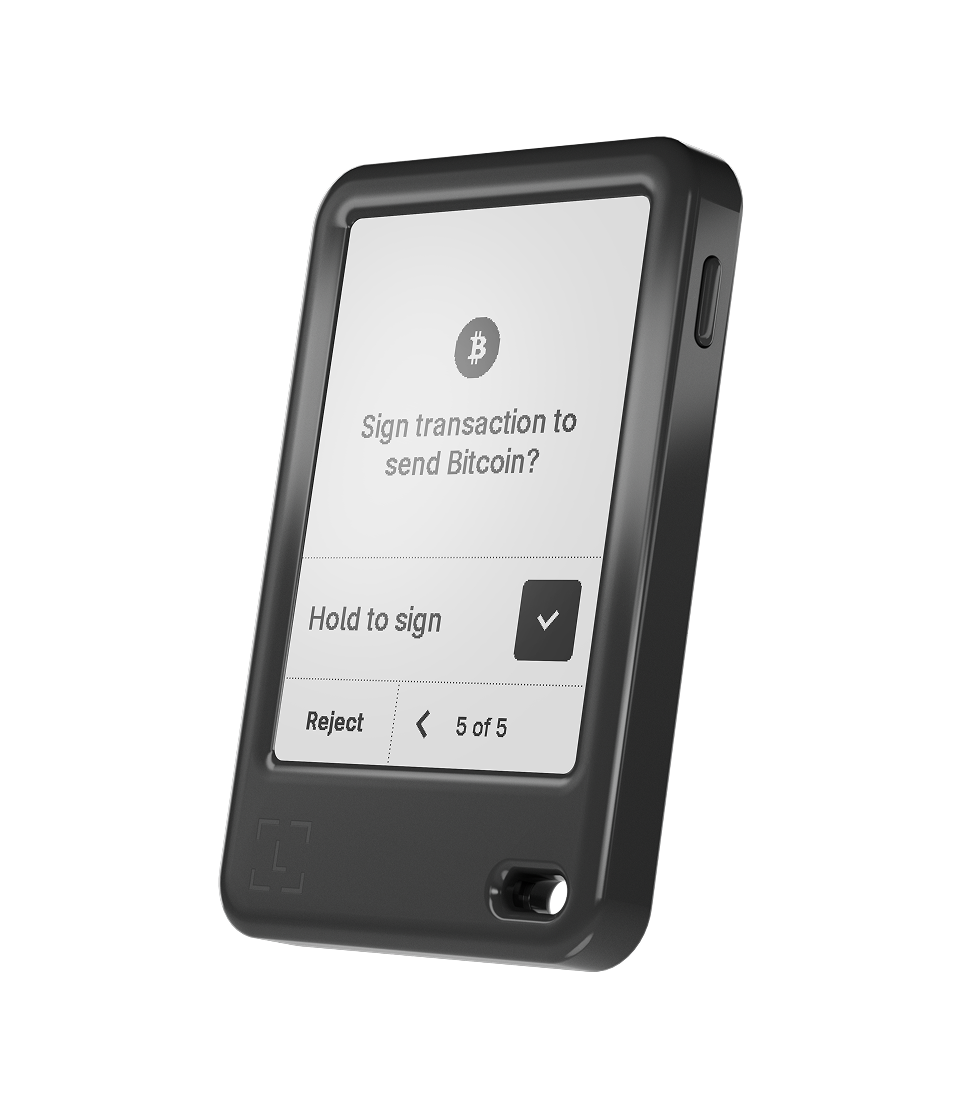
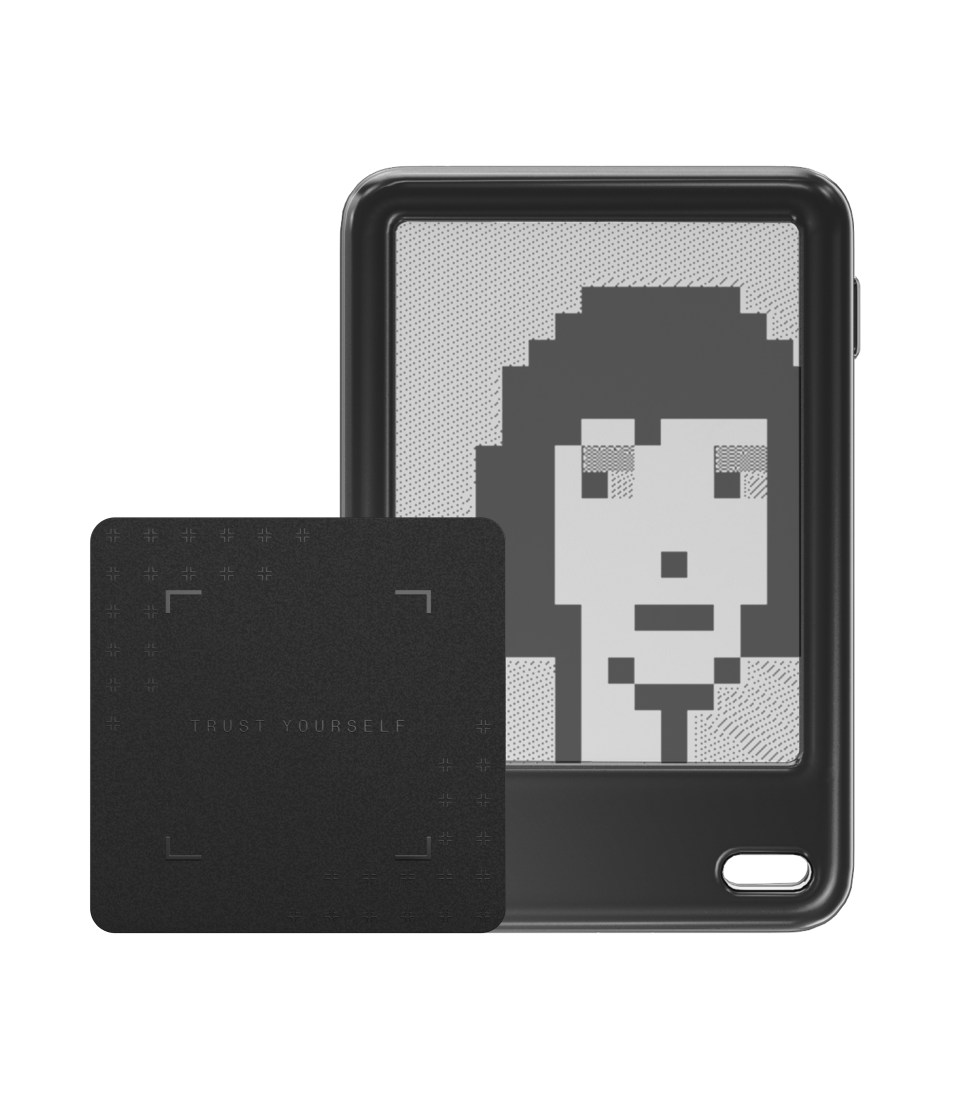
Ledger Nano Gen5 is more than a classic Nano with a larger screen. Its secure E Ink touchscreen, Transaction Check, Clear Signing, Bluetooth, NFC, Ledger Security Key support and included Recovery Key create a new workflow for reviewing transactions and preserving access. Those tools are useful only when their boundaries are understood. This guide follows the complete process from first boot and backup selection to a first DeFi signature, passkey login, recovery test and incident response.
Last reviewed: October 27, 2026. Ledger device specifications, Ledger OS, supported assets, transaction checks, recovery features and third-party integrations can change. Verify security-critical steps in current official Ledger documentation and on the device itself. This independent guide is educational, is not affiliated with Ledger and is not financial, legal or professional security advice.
1. What Nano Gen5 changes
Classic Nano devices use a small OLED display and two-button navigation. Nano Gen5 moves the Nano line to a larger touch interface designed to show more information at once. This matters because a hardware signer’s strongest practical advantage is not simply keeping keys offline; it is letting the owner review the exact action requested before those keys authorize it.
The device also adds NFC and an included Recovery Key, while retaining USB-C and Bluetooth. These additions expand recovery and authentication options, but every additional path needs a defined purpose. A useful setup is one the owner can explain and recover, not one with every feature enabled by default.
2. A signer does not store coins
Crypto assets remain on their respective blockchains. Nano Gen5 generates and protects keys that can authorize actions for the associated accounts. Ledger Wallet or a compatible third-party wallet prepares a transaction, and the signer receives a request to inspect and approve.
If the device is lost or fails, the blockchain balance does not disappear. Access can be restored with valid recovery material on compatible hardware. Conversely, anyone who obtains the effective recovery secret may recreate the keys without possessing the original Nano Gen5.
3. Security layers and their limits
| Layer | What it helps protect | What it does not decide |
|---|---|---|
| Secure Element | Private-key generation, storage and signing operations | Whether the recipient or contract is honest |
| Secure touchscreen | Trusted presentation and physical confirmation of device prompts | Whether the owner correctly understands the displayed action |
| Clear Signing | Human-readable fields for supported transactions | Whether every application and contract is supported |
| Transaction Check | Additional risk signals for compatible requests | A guarantee that an unflagged transaction is safe |
| PIN | Unauthorized physical use of the device | Exposure of the Secret Recovery Phrase elsewhere |
| Recovery Key | An offline PIN-protected recovery route | Safe storage location or owner succession planning |
4. Secure Element ST33K1M5
Ledger lists Nano Gen5 with the ST33K1M5 Secure Element and CC EAL6+ certification. Ledger OS and device applications operate within the protected architecture, and private keys are intended to remain isolated from the everyday phone or computer connected to the signer.
Certification documents an evaluated security target and assurance level. It is not a promise that all user decisions, software integrations or future threats are harmless. Treat it as evidence about the hardware boundary, not permission to approve unfamiliar requests.
5. Why the touchscreen is called secure
The display used for transaction review is driven within Ledger’s Secure Element architecture. A compromised host may alter what appears in its own window, but the signer screen is intended to show the request that the device will actually approve. This is why the hardware display should be the final reference.
The 300 × 400 monochrome E Ink screen offers substantially more review space than the classic Nano display. Scratch-resistant glass and an anti-glare coating improve usability, but physical clarity is valuable only when the owner reads the fields rather than tapping through them.
6. What to verify on every transaction
- Confirm the action type: send, swap, stake, approve, sign-in or message signature.
- Confirm the network and account.
- Read the complete destination address when it is relevant.
- Check the asset, amount and fee.
- Review the token, spender and limit for an approval.
- Investigate warnings or fields that do not match the intended operation.
- Reject the request if the device shows more authority than expected.
Do not let a website, support agent or countdown rush this process. The hardware can faithfully show a dangerous request; the user’s responsibility is to notice that it differs from the intended action.
7. Clear Signing makes supported data readable
Smart-contract requests often begin as structured machine data. Clear Signing aims to translate supported requests into fields a person can understand, such as asset, amount, destination, spender or operation. A larger screen makes those details easier to review in sequence.
Clear Signing coverage depends on the network, application, wallet and transaction type. If meaningful information is missing, do not infer safety from the absence of an error. Verify current support and decide whether the action can wait for a clearer workflow.
8. Blind signing remains a serious boundary
Blind signing asks the device to approve data that is not fully decoded into a human-readable intent. It may be required by some applications, but it removes much of the review advantage offered by the secure touchscreen.
Enable it only when you understand why it is required, have verified the application and contract through independent sources, and accept the authority being granted. Disable unnecessary settings afterward. Never activate blind signing solely because an unsolicited guide says it is needed to “synchronize” or “validate” a wallet.
9. What Transaction Check adds
Transaction Check can analyze compatible activity and present an additional risk signal before approval. It is intended to identify known patterns or suspicious characteristics that ordinary field review may miss. This creates another moment for the user to stop.
The feature is assistance, not an oracle. Coverage can be incomplete, new threats may not yet be recognized and a legitimate-looking transaction may still conflict with the user’s goal. An unflagged request is not equivalent to a promise of safety.
10. Responding to screen messages
| Screen result | Meaning | Safer response |
|---|---|---|
| Expected Clear Signing fields | The request is decoded into readable supported details | Compare every field with the independent intent before approval |
| Unexpected amount or address | The host request does not match the intended transfer | Reject, close the application and investigate the host |
| Unlimited or unusually broad approval | The contract may receive continuing token authority | Use a smaller limit if supported or reject and research |
| Transaction Check warning | A supported risk signal has been detected | Reject by default and verify through independent official sources |
| Unrecognized raw or blind data | The device cannot present the complete human-readable intent | Do not sign until the reason and consequence are understood |
| No warning | No supported warning was shown | Continue normal verification; do not assume guaranteed safety |
11. Genuine Check verifies one part of the setup
Use Ledger Wallet from Ledger’s verified domain and allow it to perform the genuine-device check. This is stronger evidence than packaging appearance alone. A box, seal or printed card can be copied, while cryptographic device verification examines a different property.
Genuine Check does not make prewritten recovery words safe and does not prove that every future transaction is correct. Nano Gen5 should generate recovery information during the owner’s own setup. If the package includes an already configured PIN or recovery phrase, stop.
12. Supply-chain caution remains relevant
Buy from a source you intentionally trust, inspect the device and compare the onboarding process with current Ledger instructions. Do not follow a QR code or insert that demands a seed phrase on a website. Ledger Support does not need the Secret Recovery Phrase.
If the device behaves differently from the official workflow, do not deposit funds while trying to solve the discrepancy. Contact Ledger through the verified support page. A hurried “test with a small amount” is inappropriate when the initialization itself is suspect.
13. Safe first boot
- Charge the signer with the supplied or a known-good cable.
- Install Ledger Wallet through Ledger’s official website.
- Choose setup as a new device unless intentionally restoring an existing wallet.
- Create a private device PIN away from cameras and other people.
- Generate the Secret Recovery Phrase on the hardware.
- Record the words offline in exact order.
- Complete the requested on-device confirmation.
- Run Genuine Check and install only the applications needed initially.
Do not photograph the words, paste them into a password manager or type them into the host application. The connected phone or computer is not the place where the recovery phrase should be entered during ordinary setup.
14. Three recovery paths require deliberate choices
Nano Gen5 can work with a written Secret Recovery Phrase, the included Ledger Recovery Key and the optional Ledger Recover subscription where available. These are different recovery models, not three mandatory steps.
Choose based on the threat model, jurisdiction, household and ability to protect physical objects. More backups improve availability only when they are independently stored and understood. Several copies in the same location create duplication without resilience.
15. Recovery Sheet, Recovery Key and Ledger Recover
| Method | Primary advantage | Main responsibility |
|---|---|---|
| Written or metal Secret Recovery Phrase backup | Open-standard offline recovery controlled by the owner | Protect words from theft, fire, loss, photography and transcription error |
| Ledger Recovery Key | PIN-protected NFC recovery without manually entering every word | Protect the card and PIN, and keep them separate from the signer |
| Ledger Recover | Optional identity-based recovery using encrypted fragments and providers | Understand subscription, identity, eligibility and provider dependencies |
No method repairs a seed that an attacker has already copied. If confidentiality may be lost, create a new uncompromised wallet and transfer assets after verifying the new addresses.
16. How Ledger Recovery Key fits the workflow
The included Recovery Key is a PIN-protected physical card that communicates with compatible Ledger secure touchscreen devices over NFC. It can hold an encrypted backup used to restore access on compatible hardware. NFC must be enabled for the relevant backup or restore operation.
Create the backup privately and follow the instructions displayed on the Nano Gen5 screen. Choose a card PIN that is not written on the card or stored beside it. If onboarding reports that a supposedly new Recovery Key already contains a backup, stop and contact official Ledger Support.
17. Store device, card and recovery material separately
Keeping Nano Gen5, Recovery Key, written phrase and all PINs in one pouch makes travel simple but defeats resilience. Theft, fire or loss can affect every component at once. Separate locations should reflect realistic local threats and authorized access.
Do not label the card with public portfolio information. A trusted contact or estate plan may need instructions that explain the recovery process without exposing the secret in the same document. Test comprehension using a dry run rather than revealing the actual phrase.
18. Recovery Key is not the same as Ledger Recover
Recovery Key is a physical NFC card controlled by the owner and protected by its PIN. Ledger Recover is an optional subscription service involving encrypted fragments, identity verification and designated backup providers. Similar names can lead users to discuss them as one feature when their dependencies differ.
Before adopting either, document which method is active, what compatible replacement device is required and what happens after loss. Avoid promising family members that “Ledger will recover everything” without understanding the chosen mechanism.
19. NFC has a narrow, understandable role
On Nano Gen5, NFC supports Recovery Key and compatible Ledger Security Key interactions. Official settings allow NFC to be enabled or disabled, and Ledger documents it as disabled by default. Turn it on for a defined task rather than assuming every workflow needs it.
NFC does not broadcast the Secret Recovery Phrase as readable text. Nevertheless, approve only expected operations and keep the screen visible. If an NFC prompt appears outside the intended backup, restore or login process, cancel and identify which application initiated it.
20. Ledger Security Key and passkey boundaries
The Ledger Security Key application can let compatible Ledger signers act as a passkey or hardware second factor for supported websites and applications. This is an authentication function: it proves possession of a credential for a login. It is not automatically a blockchain transaction.
Read the device prompt to distinguish website authentication from wallet signing. A passkey login should identify an expected service and account context. A transaction approval should show blockchain-related intent. Reject any flow that changes category unexpectedly.
21. Should one device protect logins and crypto?
Combining functions reduces the number of objects the owner must carry and may improve adoption of phishing-resistant login. It also concentrates operational dependence: loss, damage or temporary unavailability of the signer can affect both wallet and account access.
High-value users may prefer a separate security key for primary email and exchange authentication while reserving Nano Gen5 for blockchain signing. Others may accept consolidation with tested backup paths. The correct answer depends on failure tolerance, not feature enthusiasm.
22. Connection methods
| Connection | Typical purpose | Important boundary |
|---|---|---|
| USB-C | Desktop, supported Android use, charging and some maintenance | A cable does not make a compromised host trustworthy |
| Bluetooth 5.2 | Wireless use with supported iOS and Android phones | Compare pairing prompts and verify every request on the signer |
| NFC | Recovery Key and compatible Security Key functions | Enable it for a known operation and read the resulting device prompt |
23. Safer Bluetooth pairing
Initiate pairing from the authentic Ledger application on a phone you control. Compare any displayed code or confirmation on both devices and reject unsolicited requests. Remove obsolete pairings after replacing a phone.
Bluetooth transports requests; it does not replace on-device consent. If the connection becomes unstable, stop rather than repeatedly approving prompts. USB-C is a useful fallback, but transaction verification remains identical.
24. A cable is not a trust certificate
Malware on a connected computer can substitute a destination in the host interface or prepare a different contract call. The Secure Element protects keys from ordinary host access, but it cannot know which destination the human meant to use.
Compare the Nano Gen5 display with an independently obtained destination. For a new address or network, send a small test transfer and then verify account history before increasing the amount.
25. First receive and send test
- Create the intended account and confirm the correct network.
- Request a receive address in Ledger Wallet.
- Verify the complete address on Nano Gen5.
- Send a small amount from the source.
- Wait for suitable blockchain confirmation.
- Prepare a small outgoing transaction.
- Read the network, destination, amount and fee on the secure screen.
- Approve only if every field matches the test plan.
A successful test confirms the workflow used, not every possible token or network. Repeat controlled testing when adding a materially different chain or application.
26. First DeFi interaction
Use a separate account with a limited balance when learning a new decentralized application. Confirm the official domain, connect only the intended account and distinguish a connection request from a signature, token approval or transaction.
Review the spender, token and allowance. Prefer a bounded allowance when supported. After the task, disconnect the session and review whether onchain permissions remain. Disconnecting a website does not revoke an allowance already recorded onchain.
27. What to do after a warning
Reject first. Record non-secret details such as the application, network, contract address and displayed warning. Verify the project’s official documentation through a separately reached source, and check whether Ledger describes the warning category.
Do not seek help by posting a seed phrase, private key or diagnostic screenshot containing sensitive information. Ignore direct messages offering wallet validation. If the intended operation cannot be explained in plain language, postponing it is a valid security decision.
28. Lost or stolen Nano Gen5
A thief should still need the device PIN, and Ledger states that repeated incorrect PIN entry causes a factory reset under its documented process. Assess whether anyone observed the PIN, whether the Recovery Key or phrase was lost with the device and whether account passkeys were also stored on it.
Restore access using a protected recovery method on compatible trusted hardware. Move assets to a new seed when recovery secrecy may be compromised, not merely because the locked signer is missing. Also recover or replace website authentication credentials that depended on the Security Key application.
29. Lost Recovery Key
Loss of the card does not by itself change blockchain ownership if other valid recovery access remains and the card PIN is unknown. Review whether the PIN may have been exposed and whether the written Secret Recovery Phrase or another tested path is available.
Follow current Ledger guidance for replacing or recreating the intended backup. Do not delay until the primary signer also fails. The goal is to restore redundancy without typing recovery words into an online form.
30. Device failure
Stay calm and test power, cable and supported connection paths. Hardware failure does not equal asset loss. If the signer cannot operate, use an authentic compatible replacement and the planned Recovery Key or Secret Recovery Phrase workflow.
A software wallet may technically accept a compatible phrase, but entering it into an internet-connected environment changes its security status. Prefer restoration on trusted hardware. If an emergency forces a weaker route, plan to migrate assets to a new hardware-generated seed afterward.
31. Migration from a classic Nano
An owner can restore an existing compatible Secret Recovery Phrase on Nano Gen5 or create a new wallet and transfer assets. Restoration preserves existing addresses and history but continues relying on the secrecy of the old seed. A new seed creates a clean boundary but requires verified transfers and updated records.
Do not retire the old signer before confirming the new device, accounts and recovery plan. A working Nano X or Nano S Plus may remain a backup when securely stored and maintained.
32. Nano Gen5 compared with the Ledger range
| Device | Best suited to | Difference from Nano Gen5 |
|---|---|---|
| Nano S Plus | Low-cost wired holding and backup | No Bluetooth, NFC, secure touchscreen, Transaction Check or included Recovery Key |
| Nano X | Compact mobile Bluetooth use | Smaller OLED, no NFC, no Transaction Check and no included Recovery Key |
| Nano Gen5 | Accessible next-generation touchscreen workflow | Balances modern review and recovery features below premium models |
| Ledger Flex | Higher-resolution everyday touchscreen use | Larger 480 × 600 display and premium materials at a higher tier |
| Ledger Stax | Maximum display, curved design and Qi charging | Larger premium form and substantially higher cost |
33. Who should choose Nano Gen5?
Nano Gen5 fits users who want a secure touchscreen, modern mobile connectivity, Transaction Check and an included physical Recovery Key without paying for Stax’s curved display or Qi charging. It is especially relevant when classic Nano screens feel too restrictive.
A long-term holder who signs rarely and prefers wired simplicity may find Nano S Plus sufficient. Someone who prioritizes higher display resolution or premium materials can compare Flex. Purchase decisions should follow the actual signing workflow, not portfolio size alone.
34. Complete setup checklist
- The device came from a deliberately trusted source.
- Ledger Wallet was installed through Ledger’s verified domain.
- Genuine Check completed successfully.
- The owner generated the PIN and recovery information privately.
- No recovery words were entered into a phone, browser or ordinary computer.
- The chosen backup methods are documented and stored separately.
- Recovery Key status and PIN are understood.
- Bluetooth and NFC are enabled only for known workflows.
- A receive address was verified on the secure touchscreen.
- Small receive and send tests completed successfully.
- Token approvals and Transaction Check warnings are understood before DeFi use.
- A lost-device and inheritance procedure exists without revealing the secrets.
35. Frequently asked questions
Is Ledger Nano Gen5 safe?
It provides a certified Secure Element, trusted touchscreen and physical confirmation model. Safe use still requires authentic setup, protected recovery material and careful review of every requested action.
Does Transaction Check guarantee a safe transaction?
No. It is an additional automated risk signal for compatible transactions. Lack of a warning does not prove that the destination, contract or intention is safe.
Does Ledger Recovery Key replace the Secret Recovery Phrase?
It provides an additional compatible recovery method. Owners should understand which backups they retain and avoid discarding a recovery route without verifying current Ledger guidance and their complete plan.
Can Nano Gen5 work as a passkey?
The Ledger Security Key application supports compatible passkey and hardware-authentication workflows. This is separate from signing blockchain transactions.
Should NFC remain enabled?
NFC can be enabled for Recovery Key or Security Key operations and disabled when not needed. Always read the corresponding device prompt rather than treating proximity as consent.
Is Nano Gen5 better than Ledger Flex?
Both share major next-generation security and transaction-review features. Nano Gen5 is positioned as the more accessible entry, while Flex provides a higher-resolution display and different materials. The better device depends on readability, price and physical preferences.
Can an old Nano remain a backup?
Yes, if it is authentic, functional, maintained and securely stored. A backup signer controls the same seed and must be protected as carefully as the primary device.
Final verdict
Ledger Nano Gen5 is strongest when treated as a verification system rather than a feature collection. Its secure touchscreen improves visibility, Clear Signing makes supported requests understandable, Transaction Check can add a warning layer, and Recovery Key creates another offline recovery route.
The owner remains the final security control. Read what the screen shows, reject unexplained authority, keep recovery methods separate and never expose the Secret Recovery Phrase to obtain support. Used this way, Nano Gen5 provides a balanced entry into Ledger’s touchscreen generation without pretending that automation can replace informed consent.
Related Ledger guides
- Ledger Genuine Check, safe setup and warning signs
- Ledger Clear Signing versus blind signing
- Ledger Recover architecture and trade-offs
- Ledger passphrase wallets and secondary PIN risks
- Ledger receive-address verification
- Ledger Nano X Bluetooth, battery and upgrade guide
- Ledger Flex review
- Ledger Stax review
Official Ledger sources and further reading
- Ledger — Nano Gen5 product page, package contents and technical specifications
- Ledger Academy — Nano Gen5 and Nano family comparison
- Ledger Academy — Comparing current Ledger signers
- Ledger Support — Nano Gen5 touchscreen, Bluetooth and NFC settings
- Ledger Support — Backing up and restoring with Ledger Recovery Key
- Ledger Support — Managing assets after a Ledger device failure
- Ledger — Official blog and product updates